

使用 Hexo 博客时,访问文章的默认链接看起来十分杂乱,使用 hexo-abbrlink 插件 可以完美解决这一痛点
食用教程
- 安装插件
$npm install hexo-abbrlink --save --registry=https://registry.npmmirror.com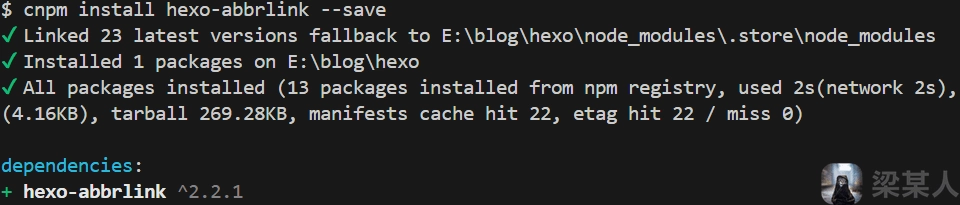
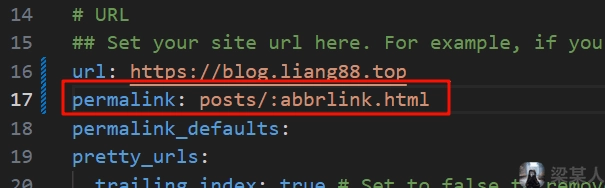
- 配置链接格式
打开 Hexo 根目录下的_config.yml
修改permalink为如下内容:yml permalink: 'posts/:abbrlink/' # 或 # permalink: 'posts/:abbrlink.html'
- 插件配置
在当前配置文件中添加如下代码:yml # hexo-abbrlink abbrlink: alg: crc16 # 支持crc16和crc32算法(默认crc16) rep: hex # 支持dec和hex值(默认dec) drafts: false # (true)Process draft,(false)Do not process draft. false(default) # Generate categories from directory-tree # depth: the max_depth of directory-tree you want to generate, should > 0 auto_category: enable: true # true(default) depth: # 3(default) over_write: false auto_title: false # enable auto title, it can auto fill the title by path auto_date: false # enable auto date, it can auto fill the date by time today force: false # enable force mode,in this mode, the plugin will ignore the cache, and calc the abbrlink for every post even it already had abbrlink.
通过配置alg和rep参数可以改变链接大小,如下:text #crc16 & hex https://example.com/posts/64c8.html # crc16 & dec https://example.com/posts/67535.html # crc32 & hex https://example.com/posts/8dff18eb.html # crc32 & dec https://example.com/posts/1690092958.html
评论区
评论加载中...